Rebuilding a Business Central order import in Odoo 19: what carries over
By Fred Morin ·
Business version (in French): Le même import de commandes, dans Business Central et dans Odoo
For a Quebec distributor I built an order import into Business Central: one parser per format, an AL extension creating the sales orders, and most of the time spent on failures. To see what carries over, I rebuilt it in Odoo 19 Community, for a made-up company ("Meubles Laurentides") with three fabricated formats:
- a French retailer-portal CSV (
;separator, decimal commas, dd/mm/yyyy dates, UTF-8 or Windows-1252); - a distributor Excel file with title rows above the table and UPCs that Excel turns into numbers;
- a marketplace CSV with one row per order, items packed into one cell (
SKU:qty|SKU:qty) and no prices.
I work in Business Central every day; I learned Odoo for this project. Here is how the pieces map, and the traps. The demo company runs in French, so the screenshots are in French.
The mapping
| Business Central | Odoo 19 |
|---|---|
| AL extension | Python module (fm_sale_order_import) |
| Parsers in an Azure Function (C#) | Plain-Python parsers inside the module, no Odoo imports |
| Staging tables | Model fm.import.order, the parsed order kept in a Json field |
| Setup table per source | Model fm.import.source: format, customer, rules |
External Document No. |
client_order_ref |
| Tax area from the province | Fiscal position applied automatically (l10n_ca localization) |
| Delete the half-created order | cr.savepoint() around each order |
| Custom API page | Public model method called through the JSON-2 API |
| Test app in a sandbox | TransactionCase tests run with --test-tags |
fr-CA.xlf |
i18n/fr.po |
The parsers stay separate, as in the Azure version: lib/parsers.py knows nothing about Odoo, takes bytes and returns a list of orders in one shape. A problem with the whole file raises; a problem with one row stays on that row, and the source's rules decide what happens.
Failures
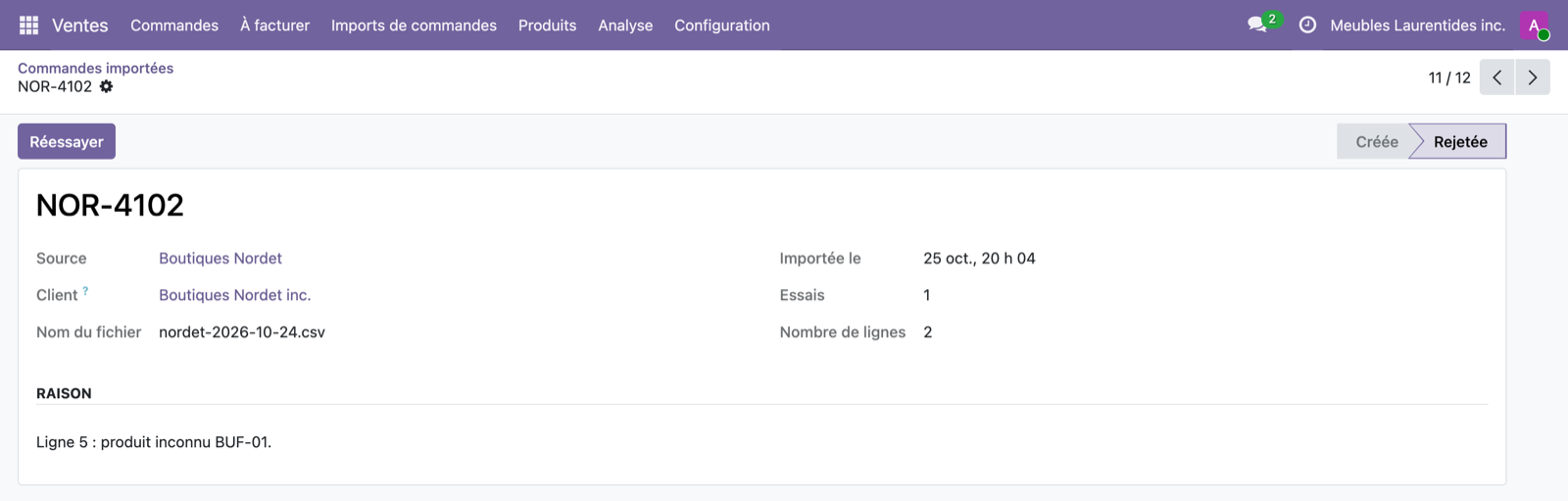
A savepoint per order. This is the cleanest equivalent of "nothing half-created". Each order is created inside with self.env.cr.savepoint():. If a rule rejects it afterwards (a refused line, confirmation failing), everything it wrote is rolled back, including the delivery address it had just created, and the other orders in the file still go through. In AL I deleted the header by hand; here the database does it.
Duplicates. Odoo only warns when two orders share a customer reference. The import looks for the client_order_ref under the commercial partner (and its addresses), ignoring cancelled orders, and rejects the order if it exists. A file dropped twice creates nothing twice, and a cancelled order can be imported again.
Retry. A rejected order keeps its parsed payload. Once the missing product exists, customer service clicks Retry: the same logic runs again and the attempt count goes up.
Taxes: nothing to code
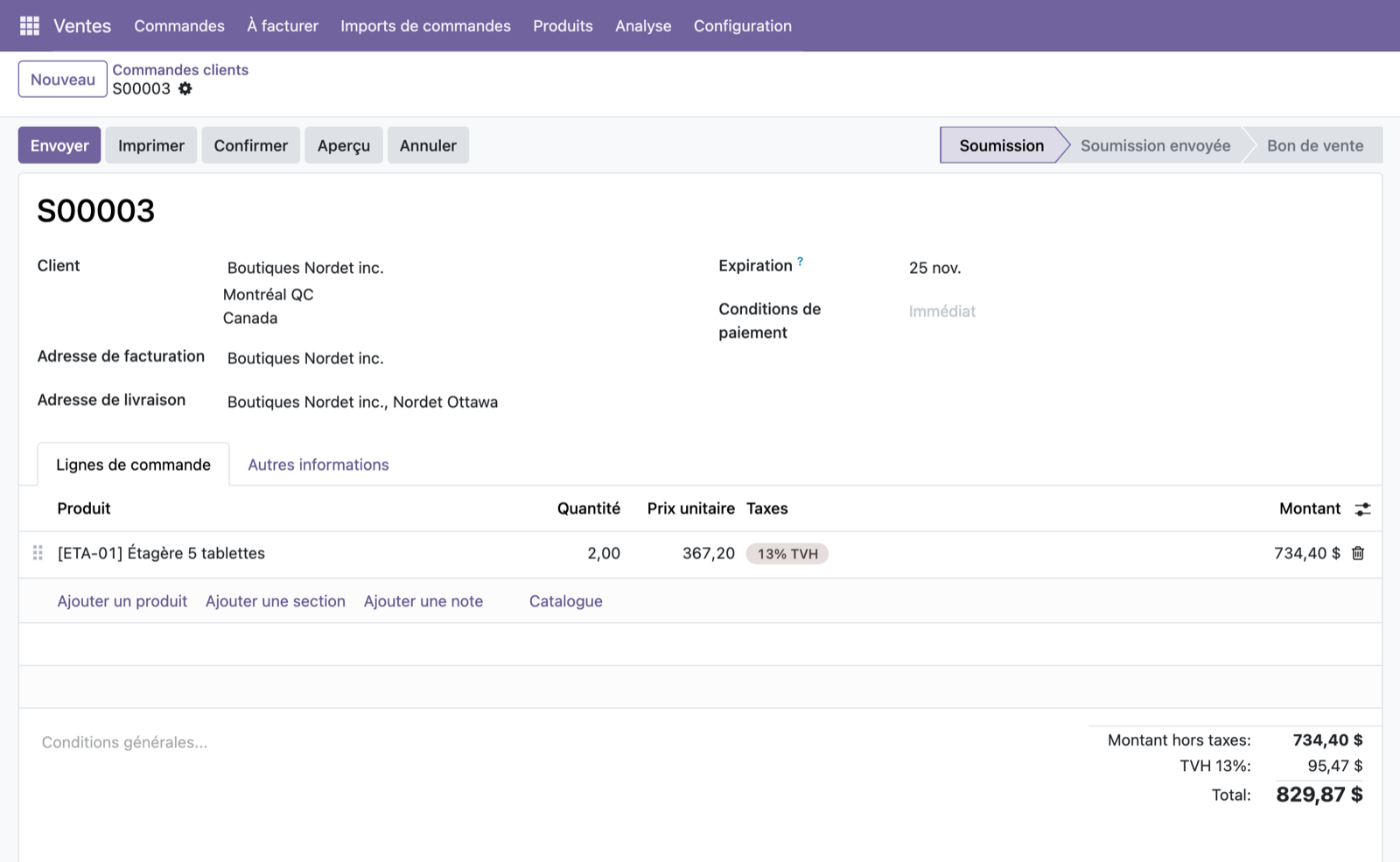
With l10n_ca, Odoo creates one fiscal position per province, applied from the delivery address. The import only has to find or create the delivery address under the customer with the right province: an order shipped to Quebec gets GST and QST (14.975%), one shipped to Ontario gets 13% HST. An unknown province in the file rejects the order instead of taxing it at random.
The API: JSON-2, not XML-RPC
This is the biggest trap if you learned from older examples. In Odoo 19, XML-RPC and JSON-RPC are deprecated and scheduled for removal in version 22. The new JSON-2 API takes an API key in an Authorization: Bearer header:
POST /json/2/fm.import.source/import_file
{"ids": [3], "file_name": "...", "content_base64": "...",
 "context": {"lang": "fr_CA"}}
Two surprises:
- JSON-2 replaces the whole context. Without
lang, the rejection messages come back in English, even for a user set to French. - Access rights. The import user is a plain salesperson, but it creates delivery addresses, so it also needs the "Contact Creation" right.
Translation
The messages are in Quebec French in fr.po (Odoo falls back to it for fr_CA). One trap: the plain-Python parsers mark their messages with a local _(), and Odoo translates them when they are shown. But self.env._(line["error"]) was extracted literally as the string "error". Going through a variable fixes the extraction.
Tests
24 tests: the parsers on their own (files built inside the tests, Excel included), the import rules (duplicates, reject or skip, missing price, unknown province, a confirmation failure followed by a retry), the French messages, and a real JSON-2 call with an API key. They run in a Docker container:
odoo -d demo -u fm_sale_order_import --test-tags /fm_sale_order_import --stop-after-init
What carries over
The hard part is deciding the duplicate key, the rule for an unknown product, where the price comes from and where rejections show up. Those decisions move from one ERP to the other unchanged. What changes is each platform's own know-how: here the savepoint, the fiscal positions and the JSON-2 API.
Building an order import, in Business Central or in Odoo? Let's talk.