A Business Central AI assistant on your own model: an AL extension, piece by piece
By Fred Morin ·
Business version (in French): Poser une question à Business Central en français, et obtenir le bon chiffre
"Who owes us the most right now?" "Which customers stopped buying?" "What is late on this order?"
Business Central has the answer to all three. Getting it means knowing which report to run, which filters to set, and sometimes exporting to Excel to finish the job.
I wanted to ask in plain words, from the page I was already on. And I wanted the choice of where the model runs: on a PC in the office, or on a hosted service, without rewriting anything. So I built it as an AL extension. This post explains how it is put together.
44 seconds: a question, a follow-up, and the assistant opening a customer card. Recorded with a hosted model; the same extension talks to a local one.
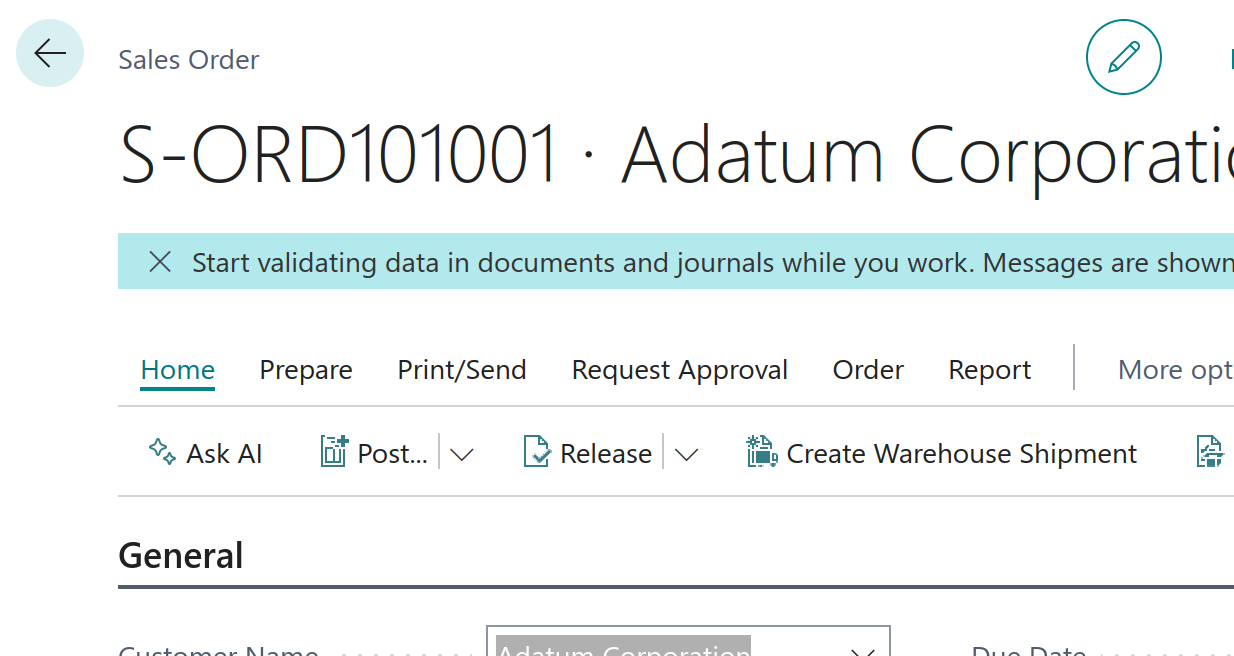
The assistant opens from an "Ask AI" action on the page you are looking at.
What the assistant does
- It opens from an Ask AI button on customers, vendors, items, contacts, sales and purchase documents, the chart of accounts and the role center.
- It knows which record you opened it from.
- It looks data up on its own, in whatever table the question needs.
- It answers report-style questions: aged receivables and payables, sales by customer, item or salesperson, inactive customers, inventory status, open sales orders.
- It can open a card or a list for you.
It cannot create, change, post or delete anything. That is a design decision, not a missing feature.
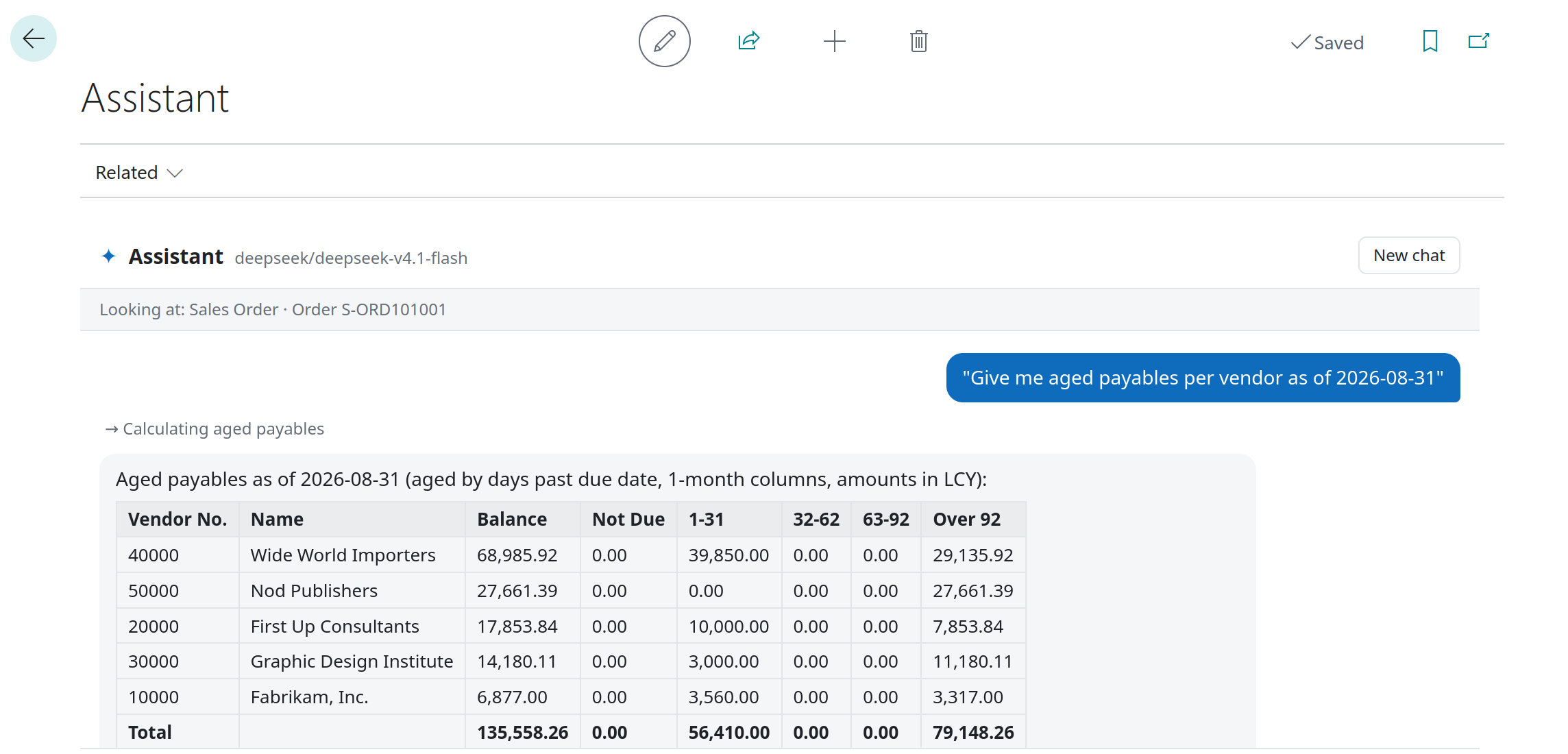
A report-style question. The line above the answer shows which tool ran.
The architecture, in five pieces
1. One endpoint setting, any model
The extension speaks the OpenAI chat-completions format and nothing else. Ollama, LM Studio, llama.cpp and vLLM all expose it for local models, and OpenRouter exposes it for hosted ones. So the setup page needs three things: an endpoint URL, a model name and an optional API key.
Every HTTP call is made server-side, in AL. The API key is stored encrypted in isolated storage and never reaches the browser.
2. The chat page: a control add-in
The chat itself is a control add-in on a regular page: messages, Markdown tables, suggestion chips, and a line for each lookup the assistant makes. It is only the display. The conversation lives in AL.
3. The tool loop, in AL
The model does not see the database. It gets a list of tools it may ask for, and AL runs them:
get_screen_context: the record the chat was opened fromsearch_tablesandget_table_fields: find a table and its fieldsquery_recordsandcount_records: read with filtersopen_page: navigate to a card or a list
The loop is short. Send the conversation and the tool list. If the model asks for tools, run them, add the results, and ask again. If it answers in text, stop. A simplified version of the real code:
for Round := 1 to Setup."Max Tool Rounds" + 1 do begin
    if Round > Setup."Max Tool Rounds" then
        FinalRound := true;                 // out of lookups: answer with what you have
    if FinalRound then
        ToolDefinitions := NoTools;

    if not LLMClient.ChatCompletion(Setup, Messages, ToolDefinitions, AssistantMessage, ErrorText) then
        exit(false);

    if FinalRound or not HandleToolCalls(AssistantMessage, Activity) then begin
        Reply := LLMClient.GetContent(AssistantMessage);
        exit(true);
    end;
end;
Two limits keep it from running away: a maximum number of tool rounds (6 by default) and a maximum answer time (90 seconds by default). When either is reached, the tools are taken away and the model has to answer with what it has.
Security comes from Business Central, not from the prompt. Every read goes through a RecordRef and checks the user's own permission first:
RecRef.Open(TableId);
if not RecRef.ReadPermission() then
    Error('The user does not have permission to read table %1.', TableId);
The assistant can never show a user something they could not open themselves.
4. Prebuilt datasets: let Business Central do the arithmetic
This is the piece that made the answers trustworthy.
A language model is good at understanding a question and shaping a result. It is unreliable at totalling hundreds of rows. So report-style questions do not go through raw tables. They go through prebuilt datasets: Business Central does the joins, the totals and the aging, ideally in a Query object, and the model only filters, sorts and presents a small, correct result.
A dataset is a codeunit that implements one interface:
interface "AI Dataset"
{
    procedure GetName(): Text;                 // tool name, e.g. aged_receivables
    procedure GetDescription(): Text;          // the model reads this to choose the tool
    procedure GetParameters(): JsonObject;     // JSON Schema of the parameters
    procedure DescribeCall(Args: JsonObject): Text;
    procedure Run(Args: JsonObject; MaxLength: Integer): Text;
}
An extensible enum is the registry. Every value becomes a tool:
enum 50150 "AI Dataset" implements "AI Dataset"
{
    Extensible = true;

    value(0; AgedReceivables)
    {
        Implementation = "AI Dataset" = "AI Aged Receivables Dataset";
    }
    // ...
}
Because the enum is extensible, a client-specific extension can add its own datasets without touching this one.
When no dataset fits a report-style question, the model is told not to improvise from raw tables. It calls a report_missing_dataset tool instead and says so to the user.
5. A question log that becomes the backlog
Every question is recorded in Business Central: the outcome, the tools used, the duration, a thumbs up or down from the user, and a timeline of each step, such as model 2.1s > aged_receivables 0.3s > model 4.0s. The timeline tells you whether a slow answer was the model or Business Central.
A "needs attention" filter shows missing datasets, errors and thumbs-down answers. That list is the backlog of what to build next. What gets kept is a setting (questions and answers, questions only, or nothing), with a retention period, because answers can contain customer data.
What I learned running it on a local model
- The context window decides everything. Ollama runs models with a 4,096-token context by default and silently cuts off the start of the conversation. With that limit, Qwen went into tool-call loops in my tests. A Modelfile with
num_ctx 16384fixed it. - Old tool results have to shrink. Before each new question, results from earlier turns are cut to a 400-character preview with a note to query again if needed. Otherwise a small context fills up fast.
- Speed and accuracy pull apart. On a 12 GB graphics card, a 9B Qwen model gave the best answers. Gemma was about twice as fast and less accurate.
- Some models accept only one system message. Mid-conversation notes such as "time is up, answer now" are sent as user messages for that reason.
- Business Central online cannot call
localhost. The request leaves from Microsoft's servers, so a local model has to be reachable over HTTPS through a tunnel. A quick test tunnel makes your model public with no authentication for as long as it runs. For anything longer, put a reverse proxy in front that checks a token. - In a sandbox, HTTP calls are off by default. Turn on Allow HttpClient Requests for the extension, or every call fails.
Local or hosted: a real choice
The same extension works with a hosted model through OpenRouter. I tested it with DeepSeek V4.1 Flash: no GPU, no tunnel, and very little cost per question.
The trade is where the data goes. With a hosted model, whatever the tools return (names, addresses, amounts) leaves your tenant and goes to the provider. With a local model it stays on your machine. Neither is wrong. It has to be a decision, made before the assistant is pointed at real company data.
If you're building something like this today
- Start read-only. Reading is where the value is, and it removes a whole class of risk.
- Use the user's permissions. Run every lookup as the user. Do not build a second security model in a prompt.
- Give the model less arithmetic. Each report-style question that matters deserves a dataset.
- Tell the model what it must not do. Mine is told never to describe menus or step-by-step procedures from memory, because those answers are often wrong.
- Log from day one. The questions people really ask are not the ones you planned for.
Not just for one company's data
Nothing here is tied to a particular business. A distributor could add a dataset for backorders by vendor. A service company could add one for technician utilisation. The chat, the loop and the security stay the same.
If you want an assistant inside Business Central that answers from your own data, on a model you choose, let's talk.